Browser-to-prototype capture for Moqups users in Firefox
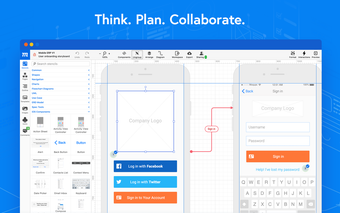
The Moqups Extension, from Moqups.com, connects the Firefox browser to the Moqups web app so teams can move web content into editable prototypes. It captures visible areas, selections, or full pages and provides an in-app eyedropper for exact color sampling while converting live pages into editable layouts. Quick-access buttons and dashboard shortcuts aim designers and product teams at faster research-to-prototype handoffs.
The extension converts live webpages and AI designs into editable Moqups objects
The extension imports web pages and AI-generated designs as editable layouts inside Moqups, so elements extracted from a page become objects you can modify within the app. Capture options include visible-area, selection, and full-page screenshots, each saved into the Moqups workspace. That conversion capability targets workflows where designers iterate on real web artifacts rather than rebuilding static images from scratch.
Integration with team asset storage supports collaborative design workflows
The tool syncs captured images directly with the Moqups Team Images library and offers toolbar buttons to create new projects or jump to the dashboard. Team-level synchronization places assets where shared projects and templates already live, which helps product managers and designers keep references and components together during multi-person reviews.
Toolbar controls and the eyedropper make capture and color sampling immediate
The extension enables an in-app eyedropper for precise color sampling from any webpage and surfaces quick-access controls in the browser toolbar for captures and project creation. Installation happens via the Firefox Browser Add-ons store, and saved content requires a Moqups account; that account gating defines where captured material is stored and who can access it inside a team.
Account requirements and browser permissions shape security and access
Saving captured content to Moqups requires users to sign in, so captured assets are account-gated rather than stored locally by the extension. The extension also addresses browser-level restrictions that otherwise block color sampling by enabling the eyedropper inside the Moqups app. Those choices align captured data with team access controls and the platform's project permissions rather than local file storage.
Suitable for teams committed to Moqups, less useful outside that ecosystem
The extension is a practical option for UI/UX designers and product teams already using Moqups who need quicker handoffs from research to editable prototypes. Teams that do not centralize assets in Moqups should weigh whether account-gated storage and Firefox-only distribution match their workflow, since adoption requires aligning browser captures with the platform's team library and access model.